Question
Where and how do you set the target humidity?
Answer
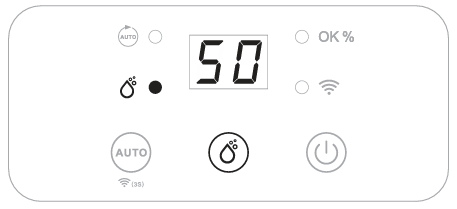
Press the Manual button to select your preferred humidity level between CO-40%-45%-50%-55%-60%-65%-70%-CO. CO means continuous dehumidification regardless of the ambient humidity.
Note:  |
|
Do you have any other questions that we have not yet been able to answer? No problem, our advisory team will be glad to help: contact ecofort.
Was this article helpful?
That’s Great!
Thank you for your feedback
Sorry! We couldn't be helpful
Thank you for your feedback
Feedback sent
We appreciate your effort and will try to fix the article